You can filter data and display only the required data. Depending on the conditions, data in the active database are filtered.
Display Data above Average
Perform the following to display data above average.
- Select a range of cells with numbers to apply filter.
- Click Data-Filter.
- Click the Filter Expand
 icon.
icon.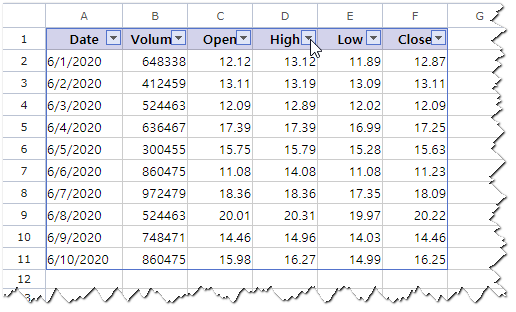
- Click Number Filters-Above Average from the menu.
Date above average will be displayed, data at average or below will be hidden.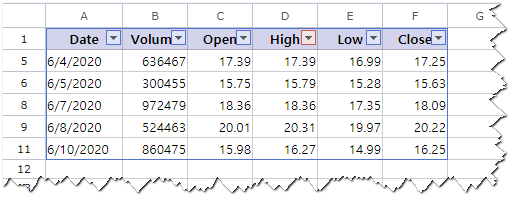
Exclude Text Starting with Particular Letter
Perform the following to exclude text starting with particular letter.
- Select a range of cells with text to apply filter.
- Click Data-Filter.
- Click the Filter Expand
 icon.
icon.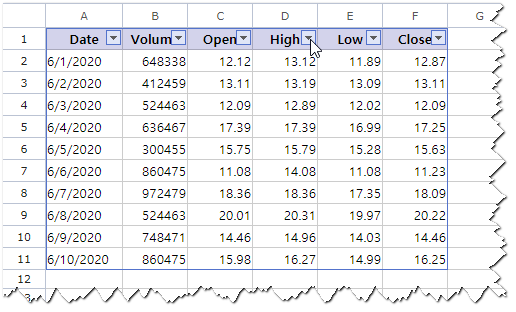
- Click Text Filters-Custom Filter from the menu.
- Select Start Text to Exclude from the list and enter the letter in the input box of the Custom AutoFilter dialog box.
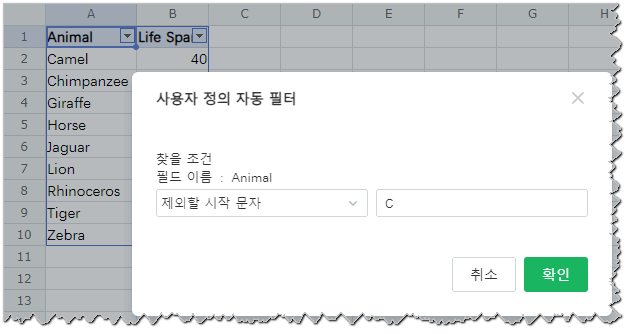
- Click OK.
Data except for those text start from the letter entered in the Custom AutoFilter dialog box will be displayed.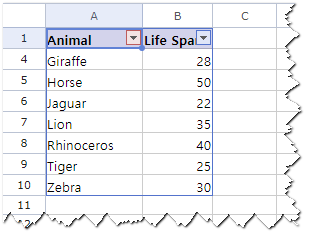
Show All Filtered Data
Perform the following to clear filter.
- Click the Filter Expand
 icon at the filtered cell.
 - Click Release Filter from the menu.
Or you can also click Select All then OK to release the filter.
Sort Data in Ascending Order
Perform the following to sort data in the ascending order.
- Click the Filter Expand
 icon at the filtered cell for the basic column to be sorted out.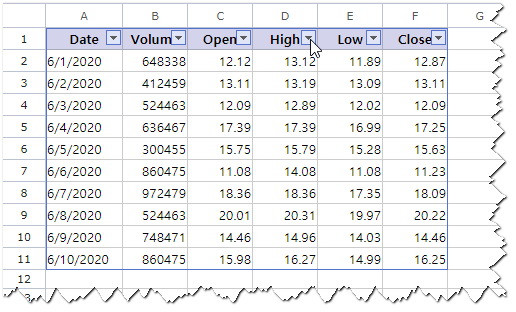
- Click Sort A to Z from the menu.
Data will be organized in the ascending order and the Expand Filter icon changes to the Ascend
  icon.
icon.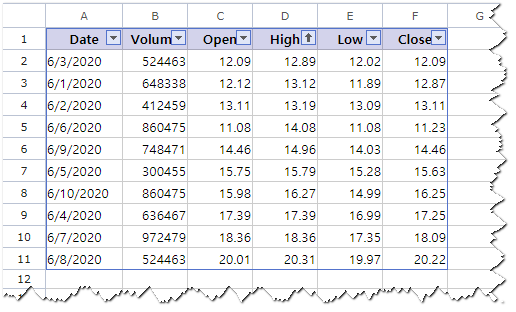
Note
Number Filters
You can filter data by values such as numbers or criteria (average, top 10, etc.)
Text Filters
You can filter data by text including or beginning with a specific character or other criteria.
You can filter data and display only the required data. Depending on the conditions, data in the active database are filtered.
Was this article helpful?
That’s Great!
Thank you for your feedback
Sorry! We couldn't be helpful
Thank you for your feedback
Feedback sent
We appreciate your effort and will try to fix the article