It briefly describes Online Word Processor components. Word is easy to use for users who have not used Word before, because it follows the Windows standard interface structure.
More Information
Screen Layout
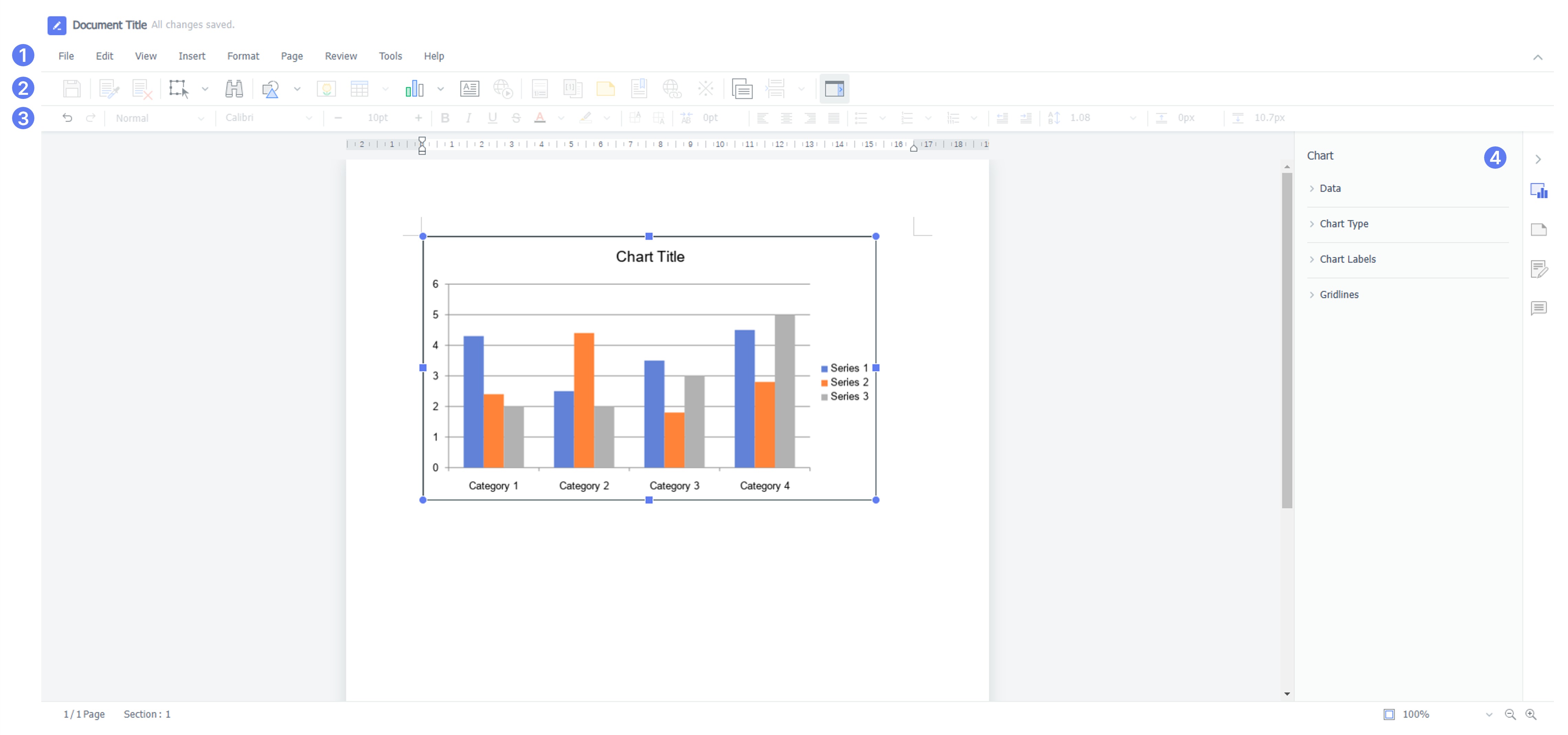
| Name | Description | |
| ① | Title Bar | The file name, program title, chat, shortcut guide, help icon and more are displayed. Various menus are grouped according to their functions. Clicking each menu tab provides the list of sub menus. |
| ② | Menu Bar | Frequently used functions of each menu are grouped in the form of icons. |
| ③ | Style Bar | Functions that are frequently used during document editing are grouped under icons. |
| ④ | Task Pane | You can work on documents efficiently by using task panes. You can reduce the document editing time and increase work speed. |
Was this article helpful?
That’s Great!
Thank you for your feedback
Sorry! We couldn't be helpful
Thank you for your feedback
Feedback sent
We appreciate your effort and will try to fix the article